


FL Studio piano roll script 🎹
Melody Killa Enhance
Write 4 boring notes. Turn one knob. Get a trap melody in key, on your rhythm – with chords and bass if you want them. Every number is a new melody 💀→🔥
- ⚡ Instant download
- FL Studio 21+
- Windows + Mac
- Script, not a VST
Before → after
Same 4 notes. One click.
Drag the handle. Left is what we drew, right is what came out – real FL Studio screenshots, no edits.


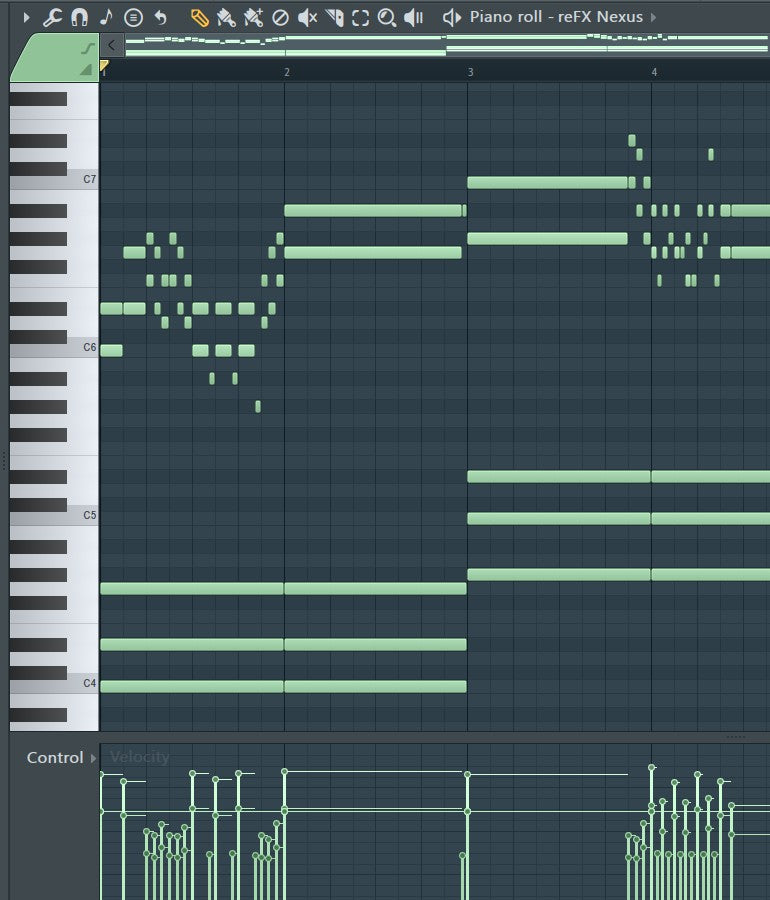
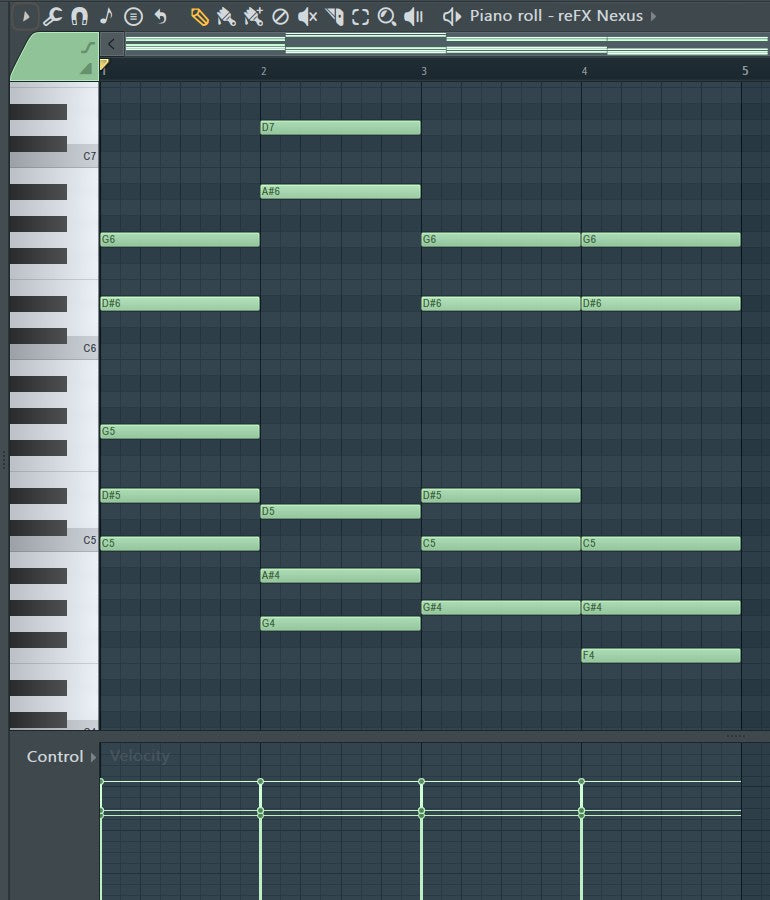
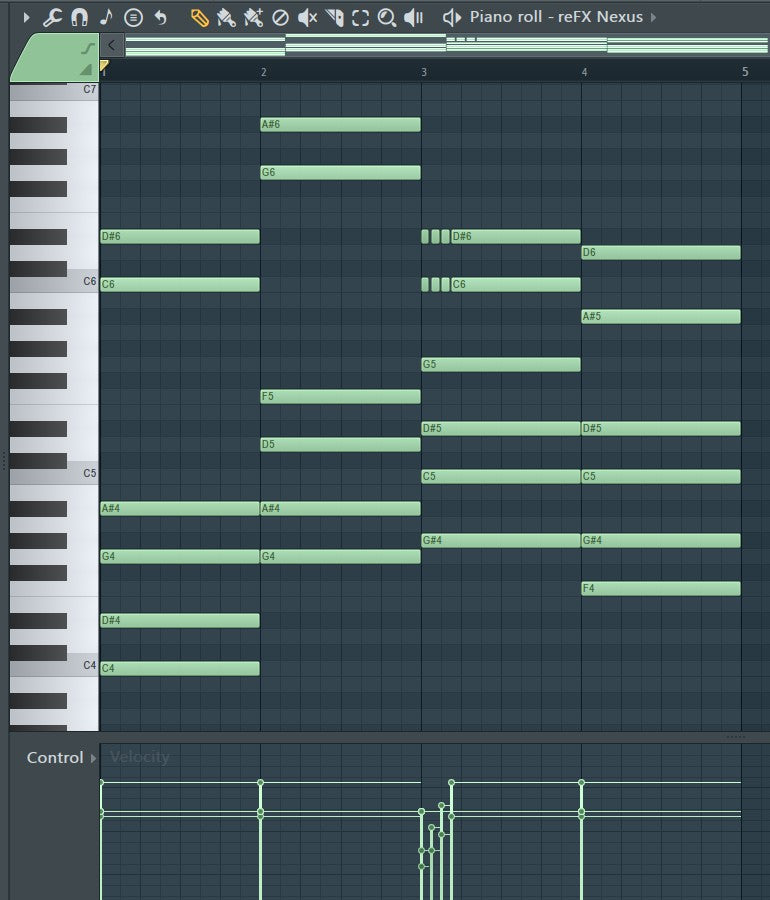
Your 4 notes walked in mid and walked out with a chain 💎
Watch 🎬
From 3 notes to a full melody
Real FL Studio session, with commentary: a simple melody, then Melody Killa – Magic, Chords, Harmony, Key and Accept. Click a step to jump.
Every knob 🎛️
What each control does
1–999 or Regenerate. Every number is a new trap melody built on your notes – same number, same result, so you can always go back.
How far it moves away from what you wrote. Low = your idea, polished. High = full rewrite.
Adds a chord progression plus a bass note under the melody. Instant beat starter.
How wide the melody jumps. Tight and hypnotic or big rage leaps.
Your rhythm is always kept – push it busier or calmer from here.
Rolls, trills and grace notes – the little flicks that make it sound played, not drawn.
Velocity groove. Gives the notes swing so it does not sound like a robot.
Third above, fifth below or octave below – layered leads in one turn.
Auto-detects the key from your notes, or lock it to C … B.
Natural minor, harmonic minor, phrygian, dorian or major.
Hit Accept and the notes stay in the piano roll like you drew them. Select only some notes = only those change.
Install 🛠️
In FL Studio in 30 seconds
- Download & unzipAfter checkout you get
Melody Killa Enhance.pyscript+ a short guide. - Drop it in the Piano roll scripts folder
Documents\Image-Line\FL Studio\Settings\Piano roll scripts\Documents/Image-Line/FL Studio/Settings/Piano roll scripts/Can't find it? FL Studio → Options → File settings → User data folder. The Settings folder is inside. - Open itAny piano roll → wrench icon (Tools) → Scripting → Melody Killa Enhance. Turn Magic. Done 🔥
FAQ
Quick answers
Does it work in Ableton, Logic or as a VST?
No. Melody Killa Enhance is an FL Studio piano roll script, it runs inside FL Studio only (Tools → Scripting). No VST, no installer.
Which FL Studio version do I need?
FL Studio 21 or newer, on Windows or Mac.
Can I use the melodies in songs I release or sell?
Yes. The notes you make are 100% yours – free beats, leases, exclusives, Spotify, anything. Just do not share or resell the script file itself.
Does it overwrite my melody?
Only after you press Accept. Until then you can turn knobs and Regenerate as much as you want. Select some notes and only those change.
It made my chords weird?
It is made for one-note-at-a-time leads. Overlapping notes get shortened – use Chords inside the script to add harmony instead.
How do I get it?
Instant download after checkout: the .pyscript file plus a short install guide. Takes 30 seconds.