
01
Generate
Tempo follows your project automatically, or set any BPM from 60 to 200. Pick a root and minor or major, or switch on LUCKY for a new key every time. One click gives you 12 melodies, 8 or 16 bars long.

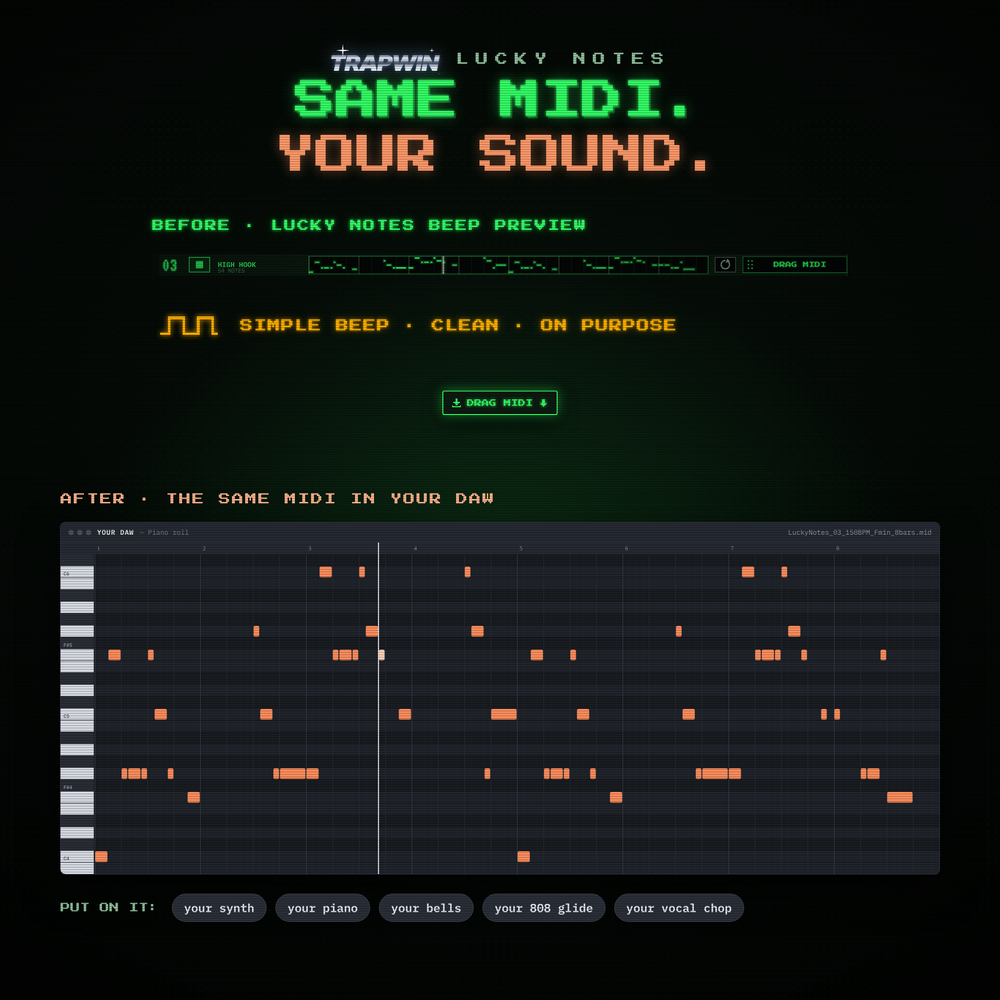
Sound on: the beep is the plugin's preview. The nice part at the end is the same MIDI with real instruments.
A tiny browser version of the plugin. Hit GENERATE, press ▶ on any line. Like one? Take the MIDI with you.
The plugin does the same with your project's tempo and any key, 8 or 16 bars, re-roll per line and DRAG MIDI straight onto a track.
01
Tempo follows your project automatically, or set any BPM from 60 to 200. Pick a root and minor or major, or switch on LUCKY for a new key every time. One click gives you 12 melodies, 8 or 16 bars long.
02
The preview is one plain beep, so you judge the notes and not a preset. Twelve different characters per set: stepwise, arpeggio, high hook, low motif, sparse, busy run, triplets, dotted, syncopated, call and answer, bounce, zigzag. Don't like one? Re-roll just that line.

03
Every line is a real .mid file at your tempo. Drag it onto a track in FL Studio, Ableton or any DAW, load your synth, piano, bells or 808 and the melody becomes yours. EXPORT ALL MIDI saves all 12 to a folder, with an optional _Chords.mid of simple triads for each one.


Lucky Notes does one thing: fast melody ideas that fit. There are no genre presets, no chord engine, no piano-roll editor and no built-in instruments. If you want deep composing tools, a full MIDI suite is the better fit. If you want an idea in ten seconds, this is it.
Windows 10/11, 64-bit. VST3 plugin and standalone app with installer.
macOS 11 or newer, Apple Silicon and Intel. VST3, AU and standalone, signed and notarized by Apple.
Only a simple beep preview. Lucky Notes writes MIDI; the sound comes from whatever instrument you put the MIDI on in your DAW.
Yes. Everything you generate is yours to use, sell and release.
Pick Windows or macOS above. The download link arrives right after checkout.